Where this control came from
The opt-out exists because a regulator required it. On June 3, 2026, the UK's Competition and Markets Authority issued a binding requirement ordering Google to give publishers real control over whether their content is used in its AI-generated search answers. Google announced the control the day before the ruling and began testing it with a subset of website owners in the UK.
According to industry reports, the control was extended to sites worldwide at the end of August. Google framed the UK phase as a chance for thorough testing before a global release, so if you don't see it in your own account yet, check again. Availability has been rolling out in stages, not all at once.
What opting out actually does
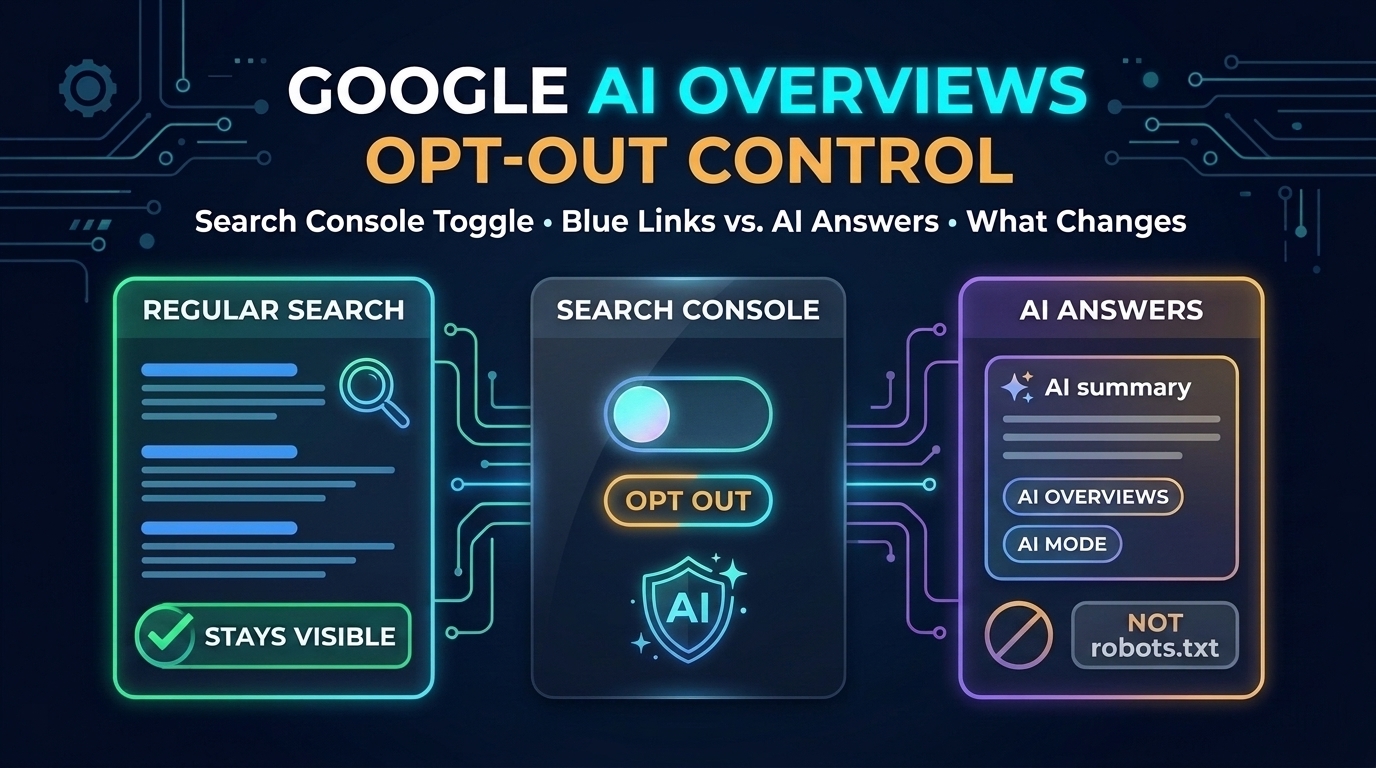
The setting lives in Google Search Console, not in your site's code. When you opt a site out, Google stops showing its content in AI Overviews, in AI Mode, and in AI Overviews inside Google Discover, and stops using it to ground those answers. You also stop getting any traffic or impressions from those features.
What doesn't change matters just as much. Your pages still appear in the regular blue-link results and in the normal Discover feed. Google has said the setting is not a ranking signal, so opting out shouldn't push your normal listings up or down. The setting also only covers Google Search: the separate Gemini app isn't included.
Why robots.txt and Google-Extended aren't the same thing
This is where a lot of site owners get confused. Google-Extended is a robots.txt token that controls whether your content is used to train and ground Gemini models outside of Search. Blocking it has never removed a site from AI Overviews, because AI Overviews are built from the same Googlebot crawl that powers normal search results.
Blocking Googlebot itself would remove you from AI Overviews, but it would also remove you from Google Search entirely, which is almost never what anyone wants. The new Search Console control fills that gap: it's the first option that separates "show me in search" from "use me in AI answers." Your robots.txt is still the right place to manage AI training crawlers from other companies, such as GPTBot, ClaudeBot, and CCBot, which this setting doesn't touch.
The catch: it's all or nothing
The control is bundled. You can't stay in AI Overviews but leave AI Mode, or keep your product pages in AI answers while pulling your guides out. A site is either in all of Google's AI search features or none of them, and publisher groups in the UK are already pushing the regulator for separate controls for each feature. Page-level controls are reportedly expected by March 2027.
That makes the decision harder than it looks. AI Overviews appear on a large share of searches, and Google reports more than 2.5 billion monthly users for AI Overviews and over a billion for AI Mode. Opting out means giving up every citation link you might have earned there, in exchange for keeping your content out of answers that may satisfy the searcher without a click.
Who should consider opting out
The strongest case is for sites whose value is the answer itself: original research, paywalled reporting, data people would otherwise pay for, or content that's licensed elsewhere. If an AI summary can fully replace a visit to your page and you earn nothing from being cited, keeping your content out can be a reasonable call.
For most smaller sites, including tool sites, blogs, and local businesses, staying in is usually the better bet. AI answers increasingly include clickable links to their sources, and a citation from a search you weren't ranking for is traffic you wouldn't otherwise get. If people need to use your tool or product to get what they came for, a summary can't replace the visit anyway.
How to decide with data, not guesswork
Alongside the opt-out, Google added generative AI reporting to Search Console, showing impressions in AI answers, which pages appear there, and in which countries. Before changing anything, look at that data for a few weeks. If your pages rarely appear in AI answers, opting out changes very little. If they appear often, compare those pages' clicks against similar pages that don't.
Whatever you decide, write it down with the date and the numbers you based it on. This setting is new, the rules around it are still being negotiated, and Google is likely to add finer controls over the next year. The sites that adjust well will be the ones that know exactly what they changed and why.